Developer Plan Exclusive

Intelligent Dependency
Management.

A game is more than just an executable. It’s a complex ecosystem of runtimes, registry keys, and configurations.

Ensure 100% compatibility before your game launches (Pre-Requisites) and automate environment setup after the patch completes (Post-Requisites).

The Patching Lifecycle

Build and Configure Pre and Post Requisite scripts to perform checks and actions conditionally.

Update these in real-time via the dashboard, instantly pushing out the update to all clients.

STAGE 4: INITIALIZATION

01. Pre-Requisites

Before a single file is downloaded, LaunchBoost scans the user’s system to ensure compatibility. If a dependency is missing, we handle it automatically.

  • Check for .NET Framework 4.5+ or 6.0+
  • Verify DirectX and VC++ Redistributables
  • Check Registry Keys (e.g. Steam Install Path)
  • Abort launch if critical hardware is missing
STAGE 6: FINALIZATION

02. Post-Requisites

After patching is complete, perform environment setup. This is where you configure the game for the first run or update settings.

  • Write INI / Config files with dynamic values
  • Set Registry Keys for Anti-Cheat detection
  • Download & Run secondary installers (e.g. Mods)
  • Clean up temporary installation files
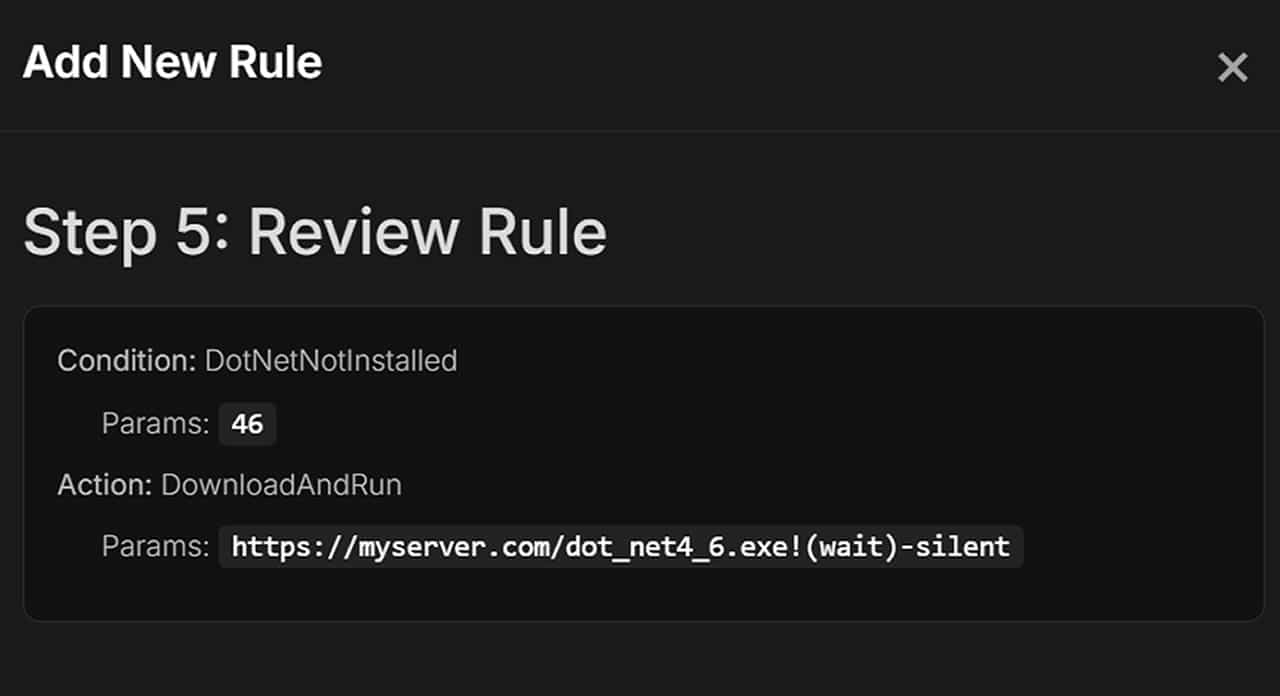
Requisites Dashboard
// Dashboard: Configuring a “DotNetInstalled” condition

Technical Capabilities

The LaunchBoost.io Patch System ensures you have full and complete control over important aspects of your game patching locally.

From reading/writing registry entries to writing data to a text file. We ensure you have full capabilities.

If a particular feature is not available out-of-the-box, you can simply include your own batch file or powershell scripts to execute.

®️

Registry Manipulation

Check for the existence of keys to detect installed software (like Steam or Epic Launcher), or write new keys to store installation paths and version data.

HKLM\Software\MyGame\InstallPath
⚙️

INI & Config Injection

Update your game’s config.ini after a patch. Inject the new version number, reset graphics settings, or update server IP addresses dynamically.

[Server] IP=192.168.1.50
⬇️

Download & Run

Need to install a massive dependency or a mod pack? The patcher can download an external executable to a temporary folder and run it silently with arguments.

Action: DownloadAndRun
💉

Context Injection

Pass data found in one stage to another. For example, find the Steam Install Path in the Registry, then pass that path to your game’s command line arguments.

🌐

Open URL / Announcements

Force open a webpage for patch notes, or display a native Windows Message Box to alert the user of critical changes or maintenance.

#️⃣

Runtime Logic

Built-in logic to detect specific .NET Framework versions (4.5 through 8.0) and Visual C++ Redistributables without writing complex scripts.

● 2,000+ Users
Join our DiscordCommunity Support