
Ever wondered how software companies and game studios push updates out to their users and players? Game Patching.
So what is it? I’ll explain in great detail here for you.
What is Game Patching?
As a developer, when you develop a software application, be it for desktop, mobile, console or web, it consists of the main binary and maybe some assets and data files that accompany it. So you release your first version and it gets installed to the users device(s) but then, as a developer you will always come across new bugs that crop up, maybe dependencies that need updating or just general fixes or polish that needs applying as you continue to improve and better your product.
There’s two ways to update your software or game and that is:
- Push out a new installer that contains all the files to install and update
- Patch the product accordingly
Now, pushing out as an installer every single time is bad for two reasons. The first, if your game is say 10GB in size, that means you have to not only build a new installer for every update that results in 10GB+, but the user has to download this 10GB installer every single time they need to update. This is very inefficient. It’s excessive and wasted development and build time on your behalf, wasted bandwidth and stress/load on your server or extra costs if hosted elsewhere and it’s a waste of the user’s time and bandwidth too.
Patching your game accordingly is always the best way to go. This enables you to define a system from the initial release that only compares the installed user files to your updated files and see what the difference is and just download (patch) individual files that need patching.
The difference between the first example and second example is monumental. Patching your game accordingly is faster, cost-efficient and much more streamlined.
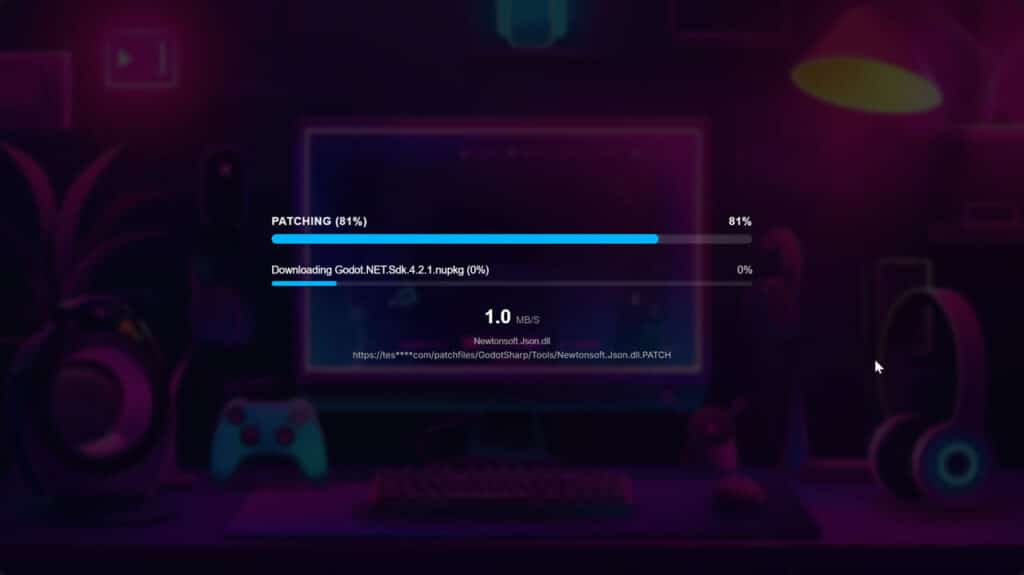
Why Your Project Needs a Dedicated Game Updater
Think about the player experience for a second. We have all been there. It is a Friday night and you just want to sit down and play your favourite multiplayer game with your friends. You double click the icon on your desktop and suddenly you are hit with a massive download bar. If that update is forcing you to redownload gigabytes of data just because the developers tweaked a few texture files or fixed a typo in the main menu, you are going to be pretty annoyed.
Player retention is a huge deal in the gaming industry. If your update process is clunky or takes forever, people will literally just close the game and play something else. A proper game patcher entirely removes this friction. It gets the player from the desktop to the main menu in the shortest amount of time possible.
From the developer side of things, it is all about agility. When you launch a game, you are going to find game breaking bugs that somehow slipped past QA. It happens to the best of us. When you need to push a hotfix, you want to compile your new binary or adjust your data files and get them to the players immediately. If your pipeline requires packaging a massive installer and uploading it to a hosting provider every single time, your hotfix might take hours to deploy instead of minutes. A game updater gives you the freedom to patch things rapidly.
How a Game Patcher Actually Works
So we know what it is and why it is so important, but how does the magic actually happen?
At its core, a game patcher is essentially a file synchronization tool. It is a piece of software that usually sits between the user’s operating system and your actual game executable. When the user opens your game launcher, the first thing it does is reach out to your servers to ask a very simple question. It asks if the version the player currently has installed is the same as the version currently live on the server.
If the answer is yes, the launcher enables the play button and the user jumps straight into the game.
If the answer is no, the game patcher needs to figure out exactly what is different. To do this, the server provides a master list of files. This list is commonly known as a manifest. The launcher reads this manifest and starts looking at the files currently sitting on the player’s hard drive.
When you research game updating technologies, you might hear terms like xdelta or delta patching being thrown around quite a bit. These are specific algorithms designed to calculate the exact byte differences inside individual files. But the most reliable and widely used method for updating software is actually working on a pure file-by-file basis.
The launcher goes down the list and checks the local files against the server manifest. If a file is missing entirely, it gets added to a download queue. If the file is there, the game patcher looks at two very specific pieces of metadata to see if it is the correct version. It checks the filesize and it checks the date modification.
If you updated a 3D model in your game, the new file you uploaded to the server is going to have a different file size or a newer modified date than the old one sitting on the player’s computer. The game updater sees this mismatch. It flags that specific file as outdated and adds it to the download queue. Once the scan is complete, the launcher downloads only the files in that queue and replaces the old ones.
Enter LaunchBoost.io
Building your own game patcher from scratch is a massive headache. You have to write the client side launcher application, build a server architecture to host the files, write the logic to generate the manifests, handle edge cases where user downloads drop halfway through, and manage security so people cannot tamper with the updates. It is a full time job just to build the delivery system for your game.
That is exactly why we built LaunchBoost.io.
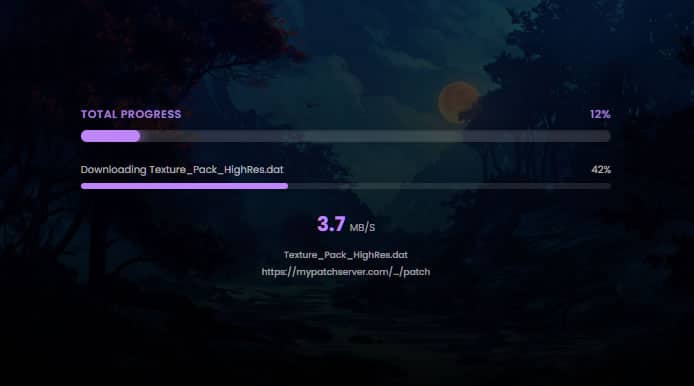
LaunchBoost is a Game Patching SaaS platform designed specifically to take all of this off your plate. We know that game developers want to spend their time actually developing their games, not building deployment pipelines and managing server infrastructure.
With LaunchBoost.io, we provide a complete end to end solution. We handle the heavy lifting on the backend and provide a seamless, white labelled game updater for your players. Our platform works on the incredibly reliable file-by-file basis we talked about earlier. When you push an update through our system, we automatically generate the checksums based on file size and date modification.
When your players open your LaunchBoost powered launcher, it instantly compares their local install against our global edge network. It identifies exactly which files have been modified or added and downloads them at lightning speed. You get all the benefits of a AAA updating pipeline without having to write a single line of backend networking code.
The Technical Mechanics of a Reliable Update
Let us get a little bit more technical for the developers reading this. Building a robust game updater means handling a lot of edge cases because the environment on a user’s PC is wildly unpredictable.
The Manifest System
The backbone of any good game patcher is the manifest file. This is usually a JSON or XML file hosted on the server. Every time you push a new build, your deployment tool scans your entire build directory and generates this manifest. It lists the relative path of every single file, alongside its exact byte size and its last modified timestamp.
When the client launcher downloads this manifest, it does a local recursive scan of the game directory. It iterates through the local files and compares those two variables. The logic is incredibly straightforward but mathematically sound. If localFile.size != serverFile.size or localFile.modifiedDate < serverFile.modifiedDate, the file needs updating. This checksum method is extremely fast because reading file metadata takes milliseconds, meaning the player is not sitting there watching a “scanning files” progress bar for ten minutes.
Safe File Replacement
One of the biggest issues with custom built game patchers is handling interrupted downloads. Imagine a player is downloading a large updated texture file and their internet suddenly drops out. If your patcher was overwriting the existing file directly, that file is now corrupted. The game is broken and the player will probably have to reinstall the whole thing.
A proper game updater handles this by downloading the updated files to a temporary directory first. It downloads level_01.dat as level_01.dat.tmp. Only when the download is 100% complete and the temporary file matches the expected server file size does the game patcher delete the old file and rename the new one into its proper place. This ensures that the game directory is never left in a broken state.
Managing Deleted Files
Updates are not always about adding or changing files. Sometimes you remove an entire feature or optimize your assets, meaning certain files are no longer needed. A smart game patcher handles this automatically. During the local scan, if the launcher finds a file in the local game directory that does not exist in the server manifest, it knows that file has been deprecated and safely deletes it. This stops the game directory from bloating up with gigabytes of unused legacy files over years of updates.
Integrity Checking and Preventing Tampering
A robust game patch system is not just about delivering new content. It also serves as your first line of defence against corrupted installations and players trying to bend the rules.
Sometimes files just break. A hard drive sector goes bad or an antivirus program gets a little too aggressive and quarantines a vital game file. But more often than not, especially in multiplayer games, you have players who think they are clever and try to modify your game files to gain an unfair advantage. They might swap out a texture file to make walls transparent or try to edit local data files to boost their in game stats.
This is where LaunchBoost acts as a gatekeeper. Because our launcher compares the local installation against your server manifest every single time the user opens the application, it naturally performs a complete file integrity check before the game is even allowed to boot.
Remember how we use file size and date modification to check for updates? That exact same logic stops casual tampering dead in its tracks. If a player opens a configuration file in a text editor and changes a damage value, their operating system automatically updates that file’s modified date to today. If they try to inject a modded 3D model or an altered DLL into your game directory, the total file size is going to shift.
The LaunchBoost launcher spots these discrepancies instantly. When it compares that tampered file against the master manifest, it sees a mismatch. The system does not need to trigger a complex anti cheat alarm. It simply assumes the file is outdated or corrupted, adds the pristine, official version from your server to the download queue, and overwrites the tampered file entirely.
By the time the player actually clicks the play button, their game directory has been forcefully restored to its official state. Your game essentially becomes self healing. This ensures a level playing field for your community and drastically reduces the number of support tickets you get from players who accidentally broke their own game by messing with the files.
Game Patching Streamlined
Managing updates is an inescapable part of game development. Whether you are a solo indie developer pushing your first early access title or a mid sized studio running a live service multiplayer game, you need a way to reliably patch your software.
Forcing your players to download full installers for every minor bug fix is a fast track to negative reviews and lost players. You need a dedicated game updater to keep your community happy and your iteration cycles fast.
You can absolutely build one yourself if you have the time and the backend engineering experience. But if you would rather focus purely on making your game the best it can be, a Game Patching SaaS like LaunchBoost.io is the perfect solution. We provide the infrastructure, the client launcher, and the peace of mind knowing that your updates will reach your players flawlessly every single time.
Click here to get started building your own Game Patcher with LaunchBoost.io.