Universal Architecture
One Executable.
Infinite Possibilities.
Stop compiling patchers for every project. With LaunchBoost, you distribute a single, lightweight Shell Executable.

When a user runs it, the shell connects to our API, downloads your custom design, splash screens, and logic, and transforms instantly.
Unity
Unreal Engine
Godot
Custom C++
Construct
GameGuru
Java
Python
RPG Maker
Fusion
HTML5
AppGameKit
Any Engine
Any Language
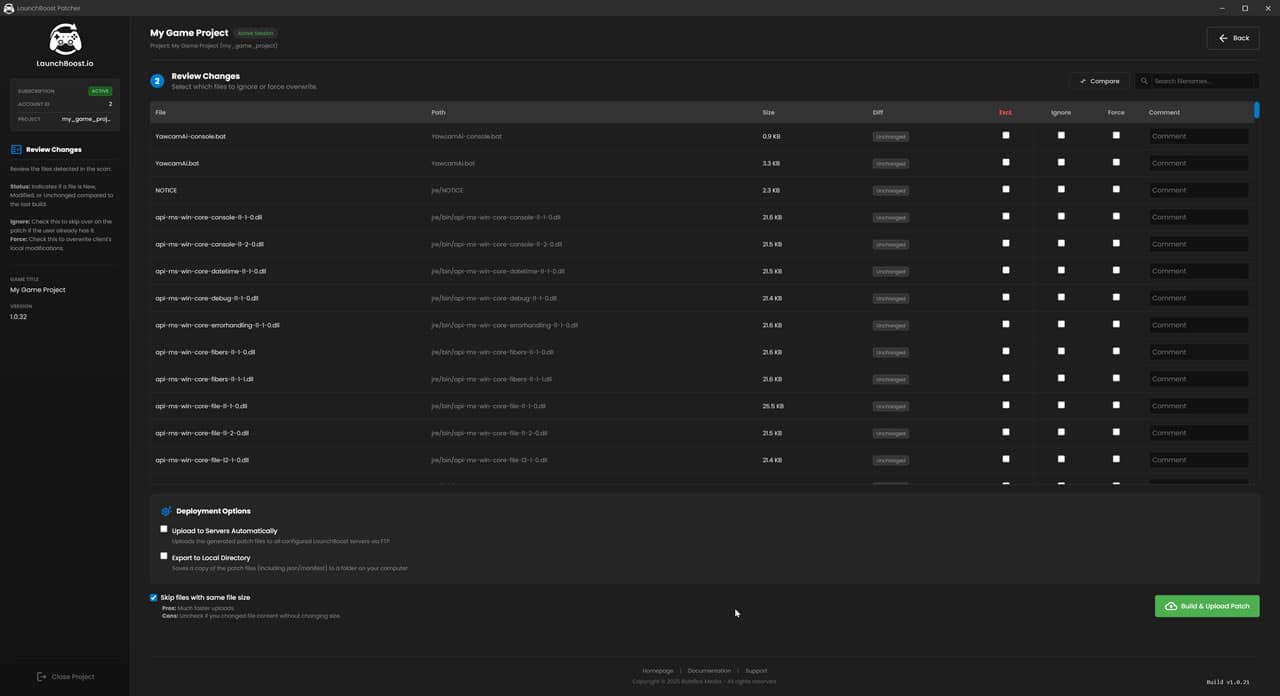
Backend DashboardConfiguring…
Dashboard
Player ExperienceLive Render
Launcher
Developer Tools
Pipeline Integration & Silent Mode
Embed the patching process directly into your game logic.

Use our Inter-Process Communication (IPC) pipeline to read progress, handle locked files, and restart your game automatically without the user ever leaving your custom UI.
# Launch Patcher in Silent Mode./LaunchBoost.exe–silent–slug“my-game”# Output Stream (IPC)[STATUS] Checking for updates…
[UPDATE] Update Found: v1.0.5
[SIGNAL]EXIT_REQUESTED
# (Game Process Closes Here)[ACTION] Patching Locked Files…
[SUCCESS] Patch Complete.
[ACTION] Relaunching Game…
🎮

1. Detect Update

Game queries patcher silently.

2. Signal & Exit

Patcher sends ‘EXIT’. Game closes.

3. Patching

Patcher updates binary files.

🚀

4. Relaunch

Game restarts automatically.

White Label Design
Your Brand.
Front & Center.
Create a seamless experience. Customize everything from splash screens to progress bars. No LaunchBoost branding. Updates apply instantly across all clients.
Cloud-hosted assets & config
100% Invisible (No “Powered By”)
Instant deployment to all users
BACKEND CONFIG
Splash Image URL
https://cdn.example.com/splash_v2.jpg
Font Family
Poppins
Mono
Serif
Interface Color
Open-World Action
Fantasy RPG
Modern Horror
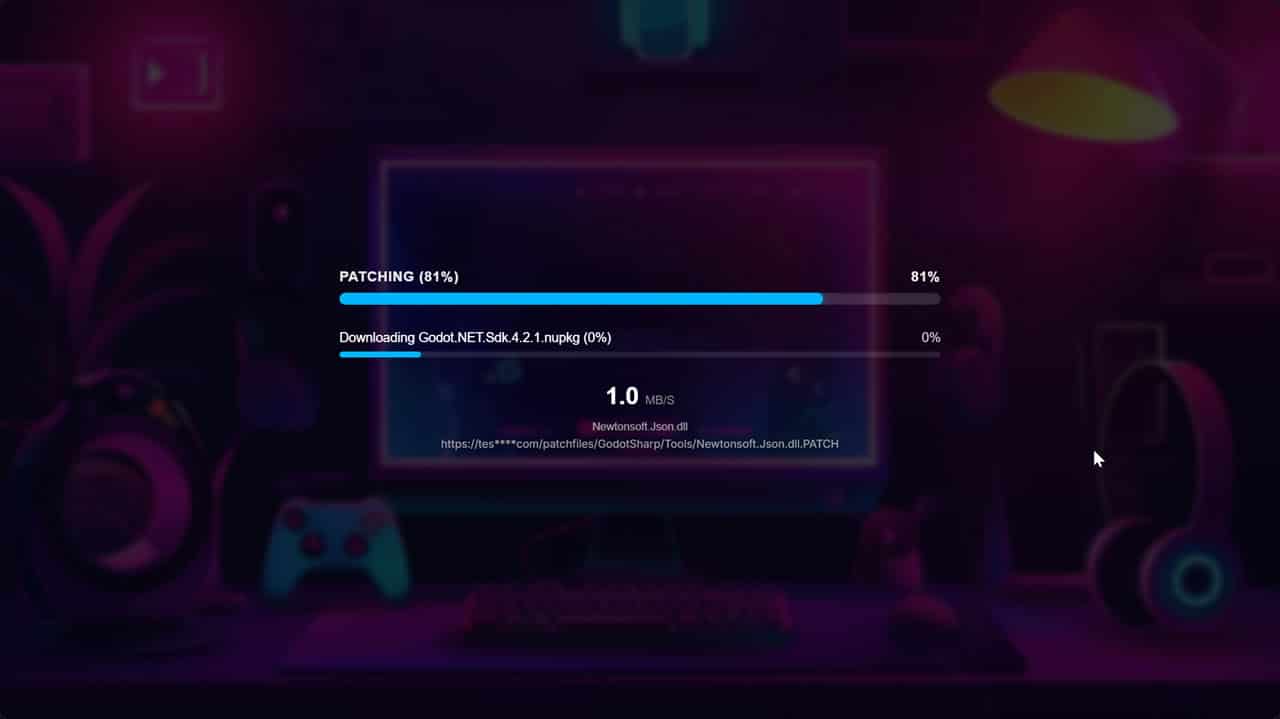
Patching (81%)81%
Downloading Godot.NET.Sdk.4.2.1.nupkg45%
1.0MB/S
Newtonsoft.Json.dll
https://cdn.example.com/…/Newtonsoft.Json.dll.PATCH
Logic & Automation
Smart Dependencies.
Flawless Execution.
Never let a missing runtime crash your game again. Use our visual wizard to define complex Pre-Requisites (before launch) and Post-Requisites (first-run tasks).

Conditions (Checks)

.NET Framework Installed
Registry Key Exists
File Integrity Check
Run Once (Unique ID)

Actions (Results)

🚀 Download & Run Installer
🚀 Write Registry / INI File
🚀 Open URL / Show Message
🚀 Abort Launch
Patcher Start
?
Check: .NET 6.0
Installed
Install Runtime
Launch Game
Hosting & Infrastructure
Global Delivery Network.
Your Hosting or Ours.

Complete Freedom. The patcher is completely infrastructure-agnostic. You can host your game files on standard shared web hosting, a Virtual Private Server (VPS), a dedicated bare-metal box, or cloud buckets like Amazon S3, Google Cloud, or Azure. If you can serve a file via HTTP/HTTPS, you can use it as a patch server.

Enterprise Resilience. Configure multiple download mirrors in priority order. If your primary server goes offline, experiences heavy load, or returns a 404, the patcher instantly and silently reroutes the user to the next available mirror without interrupting the download.

Need Speed? Use Our Servers.

Don’t want to manage hosting? Add LaunchBoost Patch Servers to your plan. These are specialized, high-bandwidth nodes optimized specifically for delivering large binary game patches at maximum speed.

DEVELOPER CONTROL:

# Force specific server (e.g., allow user to select region)
./LaunchBoost.exe–force-server “US-East-1”
🚀
LaunchBoost CDN PREMIUM
Primary Mirror • 12ms Latency
Active
145 MB/s
☁️
AWS S3 Bucket USER OWNED
Redundancy Layer 1 • US-West
Standby
Ready
🖥️
Custom VPS USER OWNED
Failover • Europe (DE)
Standby
Ready
Live Analytics
Pulse of the Playerbase.
Monitor your patch delivery in real-time. Our dashboard aggregates millions of data points into clear, actionable insights.
  • Bandwidth Usage: Track petabytes of data delivery.
  • Version Adoption: See how fast users migrate to v2.0.
  • Geographic Heatmaps: Know where your players are.
Global Throughput (Last 1h)
HTTPP2P
DEBUG SESSION: CLIENT_ID_8842 • VERBOSE MODE
Detailed Diagnostics.
Don’t rely on users to explain “it crashed.” The LaunchBoost client collects extensive debug logs detailing file permissions, hash mismatches, network timeouts, and missing dependencies.
Available instantly in your dashboard for every session.

AUTOMATED DEBUGGING:

If your patch system crashes, the patcher will detect this.
It will automatically prompt the user if they want to try again and produce a debug log. They can then send this to you if it fails a second time.
Patch Success Rate
99.8%
0.2% vs last week
Avg Patch Time
4.2s
For < 50MB updates
Data Delivered
12.5 TB
Last 24 Hours
Active Sessions
8,421
Peak: 12,005
● 2,000+ Users
Join our DiscordCommunity Support